
Understanding Binary Converters: Binary to Decimal Explained
🔢 Learn how binary converters translate between binary and decimal systems, with tips, examples, and tools for better understanding in computing and electronics!
Edited By
Emily Carter
Decimal to binary calculators play an important role for anyone dealing with number systems, especially in computing and data analysis. Simply put, these tools convert decimal numbers—those common base-10 figures we use daily, such as 157 or 3,245—into binary code, which uses only 0s and 1s. This binary system forms the foundation of computer processing and electronic communication.
In Pakistan, where students prepare for exams like MDCAT or ECAT, or analysts engage with digital data, understanding binary is crucial. While manual conversion is possible, it can be time-consuming and prone to mistakes, particularly with larger numbers. Decimal to binary calculators help automate this task with accuracy and speed.
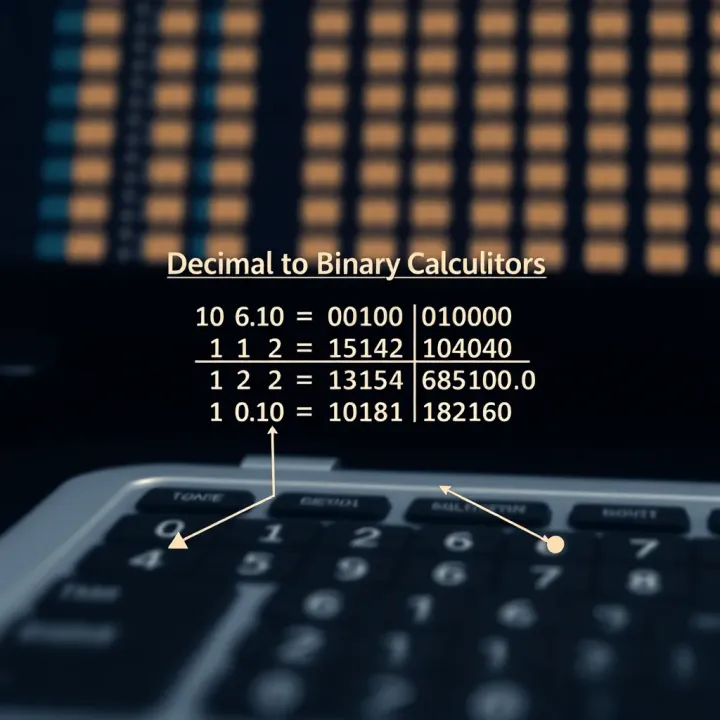
A decimal number like 45 is converted to binary by dividing it repeatedly by 2, recording remainders, then reading them backwards. A calculator does this within seconds, eliminating errors.
Accuracy: Manual methods risk slips with bigger numbers; machines avoid these.
Efficiency: Converts instantly, saving time for professionals and students.
Learning Aid: Helps visualise and validate manual conversions for better understanding.
In industries like software development, networking, or data science—professions growing fast in Pakistan—the binary system underpins how information is stored or transmitted. Using a decimal to binary calculator helps these professionals verify data formats or debug programs quickly.
"For traders or brokers dealing with complex algorithms or programming in finance, quick number base conversion saves valuable time and avoids costly errors."
This guide will explain how these calculators work, their practical use cases, and tips for selecting the right one for your needs. You'll also find straightforward examples demonstrating manual and automated conversions to build your confidence in using these tools effectively.
Understanding the basics of decimal and binary numbers is essential for grasping how decimal to binary calculators work. Decimal numbers are what we use daily, while binary is crucial in computing. Knowing their differences and how they function helps you convert between the two accurately and saves time, especially when dealing with digital systems or programming.
The decimal number system, also known as base 10, is made up of ten digits: 0 through 9. It is the standard counting system universally used for everyday calculations, financial transactions, and measurements. For instance, when you shop in a bazaar or calculate your electricity bill from WAPDA, you rely on decimals to represent values clearly.
Each digit in a decimal number has a place value depending on its position. The rightmost digit represents units, the next one tens, then hundreds, and so on, increasing by powers of ten. For example, the number 4,237 means 4 thousands, 2 hundreds, 3 tens, and 7 units. This place value system makes it simple to understand and manipulate numbers in daily life.
Binary, or base 2, uses only two digits: 0 and 1. It holds great significance in computing because computers operate internally using binary logic. Each binary digit, or bit, represents an on or off state—think of it like a light switch that’s either off (0) or on (1). This simplicity allows electronic circuits to process data quickly and reliably.
Binary digits represent data by combining bits to form numbers, letters, or commands. For example, in binary, the decimal number 5 is written as 101, which means 1×4 + 0×2 + 1×1. This representation is essential when programming or debugging software because computers interpret all input as binary values. Understanding how binary encodes data helps you use tools like decimal to binary calculators more effectively, especially in fields like computer science and electronics.
Mastering decimal and binary systems is key to working confidently with any number conversion tool, ensuring you get accurate results every time.
By being familiar with these number systems, students, programmers, and analysts in Pakistan can improve their digital literacy, aiding in exam preparation and professional tasks alike.
Understanding how decimal to binary conversion works is essential for anyone involved in computing, programming, or studying computer science. This process translates numbers from the familiar base-10 system—which we use daily—to base-2, the language that computers actually understand. Whether you are a student preparing for exams, a programmer debugging code, or an analyst working with data, grasping these conversion methods can make a significant difference in your efficiency and accuracy.
Division by two method is the most straightforward way to manually convert a decimal number to binary. You divide the decimal number repeatedly by two and note down the remainders until the quotient is zero. These remainders, read from bottom to top, form the binary equivalent. For example, converting the decimal number 23 involves dividing it by two: 23/2 = 11 remainder 1; 11/2 = 5 remainder 1; 5/2 = 2 remainder 1; 2/2 = 1 remainder 0; 1/2 = 0 remainder 1. Reading the remainders upwards gives 10111₂. This method is practical for small to medium numbers and helps build a deep understanding of binary logic.
Using remainder tracking involves keeping track of the remainders systematically during the division process. This method emphasises recording each division step carefully to avoid errors. It’s particularly useful in educational settings where understanding each intermediate step is necessary. For instance, when converting Rs 45 (decimal) to binary, documenting each remainder lets students follow the logic flow and double-check their work. Remainder tracking also reveals the pattern within binary representation, facilitating better comprehension.
When working with large numbers, manual conversion quickly becomes time-consuming. Imagine converting a large number such as Rs 1,250,000—it would require many division steps and remainder checks, increasing the risk of mistakes. Traders or analysts dealing with large datasets or financial figures cannot rely on manual methods for speed or accuracy. This limitation highlights the need for calculators and software that automate conversion without errors.
Common mistakes during manual conversion include misreading remainders, skipping division steps, or reversing the final binary sequence. Such errors can lead to inaccurate data representation, which is critical in programming or digital electronics. For example, flipping a single bit in an IP address or transaction number can cause system failures or incorrect analyses. Double-checking steps and using remainder tracking carefully can reduce these errors, but the risk still remains significant for larger or complex numbers.
Manual conversion methods help you understand the conversion process, but for large or frequent conversions, using dedicated decimal to binary calculators is more efficient and reliable.
Overall, knowing how the conversion works manually provides a solid foundation, but relying on digital tools is practical when accuracy and time are pressing concerns.
Decimal to binary calculators simplify the process of converting numbers from the decimal system (base 10) to binary (base 2). These tools are especially handy for students, programmers, and analysts who work frequently with different number systems. Understanding their features helps users choose the right tool for accuracy, speed, and convenience.
Online decimal to binary calculators stand out for their simplicity and accessibility. Since they require no installation, you can access them instantly from any device with an internet connection—whether it's a laptop in Lahore or a mobile in Karachi. These calculators typically feature a straightforward interface where you enter a decimal number and get the binary output in seconds. This ease of use means students working on computer science assignments or traders crunching numbers can rely on them without fuss.
The key benefit of online calculators is their speed in providing accurate conversions. Manual conversion of large decimal numbers can be tedious and prone to errors, but automatic calculators eliminate this risk. For instance, converting Rs 10,000,000 to binary by hand is both time-consuming and complex; an online tool handles this instantly and accurately. Additionally, these calculators often include error-checking features to alert users if they input an invalid number.
Software-based decimal to binary converters come with the advantage of working offline. This is useful in areas with unreliable internet, like parts of rural Pakistan, or for individuals who prefer not to use online services for security reasons. Such software can be installed on desktop computers or laptops and used anytime without worrying about connectivity. For example, students preparing for exams in remote regions can keep these tools on their laptops without needing internet access.
Beyond simple conversion, many software tools offer extra features. These may include batch processing to convert multiple numbers at once, options to convert between other number systems like octal or hexadecimal, and even tools to help visualise binary data for better understanding. For IT professionals working on complex coding tasks, these advanced functions ease debugging and data analysis, making software converters more than just number converters.
Choosing between online calculators and software tools depends largely on your environment and specific needs. For quick, on-the-go conversions, online options shine. For extensive work, particularly offline or with added features, downloadable software holds an edge.
Decimal to binary calculators are more than just a tool; they play a vital role in Pakistan’s growing technology and education fields. Understanding the practical applications helps students and professionals alike to grasp foundational concepts and apply them efficiently in real-world scenarios.
Helping students understand digital logic
For students studying computer science or engineering in Pakistan, decimal to binary calculators help simplify digital logic concepts. Binary numbers form the base of all digital systems, including computers and microcontrollers. Using these calculators, students can quickly convert decimal numbers to binary, aiding their comprehension of how computers store and process information digitally.
This applies particularly in labs and theoretical classes where manual conversions can consume time and lead to errors. For example, when learning about logic gates or flip-flops, being able to verify binary representations instantly makes the lesson more interactive and effective.
Preparing for exams and projects
Examinations such as the National University of Sciences and Technology (NUST) entrance test or engineering course tests often require quick, accurate conversions between number systems. Decimal to binary calculators reduce the chances of mistakes during these timed assessments.
Similarly, projects like designing a simple calculator circuit or programming microcontrollers rely on binary data handling. Students use these calculators to check their work while writing code in languages like C or Assembly. This hands-on verification supports learning and boosts confidence.
Coding and debugging
For IT professionals and programmers in Pakistan, understanding binary is not optional—it’s essential. Decimal to binary calculators assist when coding low-level software or working with hardware interfaces where binary data manipulation is frequent. Debugging issues often involves checking memory addresses, register values, or flag bits, all represented in binary.
For example, a programmer might be working with embedded systems where sensor data comes in binary form. Using a decimal to binary calculator helps quickly interpret this data or troubleshoot unexpected values, saving valuable time in the development cycle.
Data representation and manipulation
Binary representation is fundamental for algorithms related to encryption, compression, and error detection. IT experts utilise decimal to binary conversion to encode information efficiently or understand how computers represent characters and numbers internally.
Such skills are particularly useful in Pakistan’s software firms and tech startups, where manipulating data formats underlies many applications. By proficiently converting and interpreting number systems, professionals ensure data integrity and optimise performance.
Decimal to binary calculators bridge theoretical knowledge and practical application, empowering Pakistan’s tech and education sectors with tools to advance learning and professional efficiency.
Selecting the right decimal to binary calculator makes a big difference, especially if you're a student or professional dealing with coding, computer science, or data processing regularly. A reliable calculator ensures quick, accurate conversions without the frustration of errors, while extra features can save time and enhance your understanding. In Pakistan, the available options range widely from simple web tools to advanced mobile apps, so it's important to focus on usability and reliability.
User-friendliness is essential for effective use. A clear, easy-to-navigate interface helps avoid mistakes and speeds up your work. For instance, calculators that let you input numbers directly or paste them from your clipboard reduce the chance of typos. Features like instant conversion display prevent unnecessary waits, allowing you to check results on the fly. If you're a student preparing for exams like the MDCAT or ECAT, where time is tight, a straight-forward interface is a must.
Accuracy and reliability go hand in hand. It's crucial to choose a calculator that handles both small and large numbers accurately. Some tools can falter beyond certain digit lengths or produce rounding errors, which is risky if you work with critical data. Pick calculators that have a good reputation or if possible, cross-verify with manual methods for confirmation. In Pakistan, where access to educational resources varies, relying on accurate digital tools helps build trust in your results.
Additional features can boost efficiency and learning. Features like batch conversion, history logs, or step-by-step explanations provide deeper insights. For example, a calculator showing the division and remainder steps can clarify how binary results form, aiding comprehension. Other useful add-ons include exporting results to CSV or integrating with coding platforms you might use, like Visual Studio Code or Eclipse. These extras matter more if you're an IT professional dealing with complex tasks.
Web-based tools offer great convenience since they require no installation and work across devices with an internet connection. Websites like RapidTables or ConvertBinary are popular for quick conversions and simple projects. Their advantage lies in accessibility—whether you’re at a university library or your own home, you just open your browser and start working. Many also support other conversions like binary to hexadecimal, useful for computer science students.
Mobile applications bring conversion tools right to your smartphone, which is handy given the mobile penetration in Pakistan. Apps like "Binary Calculator" or "Number Converter" let you convert numbers anytime, even offline. They often include features like copy-paste, history tracking, and offline usage, making them suitable for daily learning or fieldwork. Since mobile internet can be patchy in some areas, offline apps ensure uninterrupted work during power outages or load-shedding.
Choosing a calculator that suits your specific needs will save time and enhance accuracy, whether you are a student coding projects or an analyst processing data. Consider interface ease, trusted results, and useful extra features before picking your tool.
This focus on practical factors helps users make informed choices, boosting effectiveness in their tech tasks or studies.
When using decimal to binary calculators, users often encounter challenges that affect the accuracy and reliability of conversions. Knowing how to address these issues saves time and prevents confusion, especially for students and professionals working on coding or data tasks. This section highlights common problems and practical solutions to keep conversions on track.
Unexpected results from decimal to binary calculators usually arise due to input errors, software limitations, or misinterpretation of the output format. For example, entering a decimal number with stray decimal points or incorrect digits can cause the calculator to generate wrong binary sequences. Some calculators may also struggle to handle decimal fractions properly, giving outputs that seem off or truncated.
To avoid such errors, it is important to double-check the input before conversion. Also, different calculators might display results in varying formats — like adding leading zeros or grouping bits — which can confuse users unfamiliar with these details. Being aware of these quirks helps users interpret results correctly.
Verifying conversions manually is a useful practice, especially when accuracy is crucial. For instance, after converting a decimal number to binary, converting the binary number back to decimal and comparing both values confirms reliability. This reverse check can be done through manual calculations or another trusted tool. This approach is valuable for students learning number systems and for programmers debugging their code.
Large decimal numbers can challenge some calculators, leading to slow performance or incomplete conversions. Resource-heavy calculations might cause web-based tools to freeze, or desktop software to throw errors. This is particularly true when converting numbers beyond typical 32-bit or 64-bit integer ranges, common in data science or cryptography work.
To maintain accuracy with large numbers, using specialised software with support for big integers is recommended. These tools often manage memory better and provide precise output without cutting off digits. For everyday use, breaking down large numbers into smaller chunks before conversion can help, though it requires careful recombination.
Special cases such as decimal fractions or negative numbers also demand attention. Not all calculators handle these smoothly, so users should select ones known for such features. In practice, sticking to calculators that clearly state supported input types reduces errors. Always read tool documentation or help sections to understand limits.
Regularly cross-check your conversion results and pick tools suited for your specific number size and type. This ensures smooth, accurate decimal to binary transformations without frustration.
By recognising these challenges and applying the tips above, you can confidently work with decimal to binary calculators in educational and professional settings.
🔢 Learn how binary converters translate between binary and decimal systems, with tips, examples, and tools for better understanding in computing and electronics!

Explore how binary multiplication calculators simplify working with binary numbers 🧮. Learn features, compare methods, and find tips to pick the right tool for your needs.
Learn how Binary Coded Decimal (BCD) works, its pros and cons, encoding methods, and real-world uses in computing and electronics⚙️🔢.

📈 Learn how binary quotes work in trading, how to read them clearly, manage risks smartly, and make confident steps in binary options trading.
Based on 9 reviews