

How to Use an Online Binary Calculator
🔢 Explore how online binary calculators work and their practical uses in computer science and digital electronics. Learn to choose the right tool for your needs!
Edited By
Sophie Bennett
Binary calculators might sound like something only computer geeks or engineers use, but they actually play a bigger role than most realize—especially for anyone diving into digital electronics, programming, or even stock trading algorithms. At their core, these calculators handle numbers in base-2, which means everything boils down to 0s and 1s. This is the language of computers, so understanding how these tools work gives a solid leg-up in grasping how digital systems operate.
In this article, we'll unpack what binary numbers are and why devices that calculate with them are essential. Whether you’re a student struggling with logic circuits, an investor leveraging algorithmic trading, or an analyst who wants a clearer picture of computing processes, this guide is tailored to make things straightforward.

You'll learn how binary calculators function, their different types—from software apps like Windows Calculator’s programmer mode to hardware gadgets used in labs—and how to pick the right one for your needs. We’ll also cover practical tips on using them effectively, avoiding common pitfalls, and understanding their applications in real-world scenarios.
Getting comfortable with binary calculators isn’t just about pushing buttons—it’s about unlocking a key that brings silent machines to life, turning simple 0s and 1s into meaningful actions.
Let’s get started on this hands-on dive into an often overlooked but very practical tool.
Binary calculators are specialized tools designed to perform arithmetic and logical operations using binary numbers—the foundation of all modern digital systems. Understanding what these calculators are and how they work is essential, especially in fields like computing, electronics, and data analysis. Whether you're a student dabbling in computer science or a trader analyzing digital transaction data, knowing how binary calculators function can make a difference.
These devices handle numbers represented in base-2, using only 0s and 1s, unlike the regular decimal system we use daily. For example, in networking or digital circuit design, binary calculations are routine and far less error-prone when done through reliable tools rather than manual conversion.
Binary numbers are a way to represent values using just two symbols: 0 and 1. This system aligns perfectly with electronic circuits, where components are either on or off, giving a practical backbone to digital computation. Each digit in a binary number is called a "bit," and the position of a bit determines its value—much like tens, hundreds, and thousands in the decimal system, but doubling each place to the left.
To put it simply, the binary number 1011 would be 8 + 0 + 2 + 1 = 11 in decimal. This easy conversion clarifies why computers and calculators dedicated to binary are so vital—they speak the language of machines.
Binary calculators allow users to quickly and accurately perform calculations that involve binary numbers without manually converting back and forth between decimal and binary. This is especially useful for engineers designing circuits that rely on boolean logic or programmers working with low-level data processing.
Imagine debugging a binary sequence representing a cryptographic key; a binary calculator can save time and reduce errors by processing this input directly. They support everyday tasks like addition or multiplication in binary form and extend to logical operations such as AND, OR, and XOR, fundamental in processing and decision-making within software and hardware.
The journey of binary calculators started long before today's sleek apps or devices. Early binary arithmetic was done by hand, a painstaking process prone to slips. With the rise of electromechanical calculators in the mid-20th century, binary operations became more practical.
Later, electronic calculators and computers incorporated binary systems deeply; for instance, early models like IBM 701 paved the way by using binary arithmetic hardware. Today, you have everything from simple online binary calculators to embedded chips in microcontrollers performing billions of operations per second.
The development of binary calculators has had a profound impact on computing. Without reliable binary operations, the foundation of digital computing—processing on/off signals represented by 0s and 1s—would be shaky.
By easing the manipulation of binary numbers, these calculators accelerated the development of software and hardware alike. For traders and investors dealing with binary options or digital tokens, understanding binary math tools links directly to grasping the underlying tech. In education, these calculators clarify abstract concepts by offering hands-on experience, turning complex theories into practical understanding.
Binary calculators are more than just mathematical aids; they've become indispensable bridges between human logic and digital machinery, enabling many of today's technological conveniences.
Grasping the concept of binary numbers is fundamental when working with binary calculators or diving into computing fields. Binary, made up of just 0s and 1s, might seem simple at first glance, but it’s the backbone of how modern electronics and computers process information. For analysts or students who frequently encounter data at its basic digital level, understanding this system isn't just academic—it's practical.
Unlike the decimal system, which is base-10 and uses digits from 0 to 9, the binary system operates on base-2, using only two digits: 0 and 1. Each digit in a binary number is called a bit, short for 'binary digit.' This base-2 arrangement reflects the on/off states inside computers—like a light switch, bits either represent a state of 'off' (0) or 'on' (1).
The practical takeaway? Every complex piece of software, every smartphone app, and even online transactions boil down to sequences of these tiny bits. Traders tracking financial markets or engineers debugging digital circuits both rely on decoding these binary patterns accurately to do their jobs efficiently.
In binary numbers, each bit's position holds a specific value, just like digits in decimal numbers. Starting from the right, the first bit represents 2^0 (which is 1), the next 2^1 (2), then 2^2 (4), and so forth. To find the decimal equivalent of a binary number, you multiply each bit by its place value and add them up.
For example, take the binary number 1011:
The rightmost bit (1) is 2^0, equals 1
Next bit (1) is 2^1, equals 2
Next (0) is 2^2, equals 0
Leftmost (1) is 2^3, equals 8
Adding these give 8 + 0 + 2 + 1 = 11 in decimal.
This positional bit logic is at the heart of how binary calculators perform their operations and why understanding it helps users trust the results they get.
Switching between binary and decimal is crucial when interpreting results or entering data. Two common ways exist to convert binary to decimal:
Weight addition method: Multiply each bit by its place value then add up.
Repeated division method: For decimal to binary, divide the number by 2 successively, recording remainders until zero, then read those in reverse.
Both methods ensure precise translation between number systems, enabling users to verify calculations or enter numbers accurately into any software or hardware binary calculator.
Consider converting decimal number 23 to binary using repeated division:
23 ÷ 2 = 11 remainder 1
11 ÷ 2 = 5 remainder 1
5 ÷ 2 = 2 remainder 1
2 ÷ 2 = 1 remainder 0
1 ÷ 2 = 0 remainder 1
Reading remainders from bottom to top gives 10111 in binary.
For practical advice, always double-check your conversions by reversing the process. If 10111 converts back to 23, you’re spot on. This habit is especially helpful for anyone handling binary data regularly, such as coders debugging or traders automating calculations—small errors can have big impacts.
Mastering these binary basics reduces confusion and errors when using binary calculators, making your digital computations clear and reliable.
Understanding how binary calculators operate is key for anyone delving into binary arithmetic or digital logic. These tools act like a bridge between human-readable binary inputs and machine-processed calculations. By grasping their inner workings, traders, students, and engineers alike can better utilize these calculators for tasks ranging from debugging code to analyzing data streams.
At the core, binary calculators process instructions using operations unique to base-2 numbers. This involves both standard arithmetic and logical gates, allowing them to handle complex problems involving binary data. Below, we explore the main functions and user interactions that make these calculators practical and efficient.
Binary calculators perform the four basic arithmetic operations just like your everyday calculator but strictly in the binary realm:
Addition, subtraction, multiplication, and division: These operations follow familiar rules but apply them to sequences of 0s and 1s. For example, adding 1011 (binary for 11) and 1101 (binary for 13) results in 11000 (which is 24 in decimal). Understanding these operations helps users perform calculations directly in binary without needing to convert back and forth to decimal. Professionals often find this handy when working with low-level programming where binary output is more meaningful than decimal.
Logical operations like AND, OR, XOR: Beyond arithmetic, binary calculators offer logical operations which are crucial in fields like computer science, networking, and digital circuit design. The AND operation returns 1 only if both input bits are 1; OR returns 1 if either input bit is 1; XOR returns 1 if inputs differ. For example, AND-ing 1101 and 1011 results in 1001. These logical functions facilitate tasks such as masking bits or toggling flags, making the calculator a versatile tool.
These core functions ensure users can operate directly on binary data, streamlining workflows that involve digital electronics or software development.
The way users interact with a binary calculator significantly affects efficiency and accuracy.
Entering binary numbers: Most binary calculators feature a straightforward method to input numbers, usually through buttons labeled '0' and '1'. This simplicity avoids confusion and mistakes common when converting between systems. Some advanced tools allow paste or import options to handle longer binary strings, useful for users dealing with big data sets or memory dumps.
Display of results: Outputs are typically shown in a clear binary format but sometimes come with decimal or hexadecimal conversions for ease of understanding. A well-designed interface highlights the result immediately, helping users quickly verify their calculations. Some software calculators even offer bit-by-bit result breakdowns, which is great for learning or debugging.
Efficient input methods combined with transparent result displays make binary calculators not just tools but teaching aids and diagnostic companions.
In essence, knowing how binary calculators work—the math they perform and how you feed data into them—empowers users to apply them confidently, whether crunching numbers for an investment algorithm or learning the basics of digital systems.
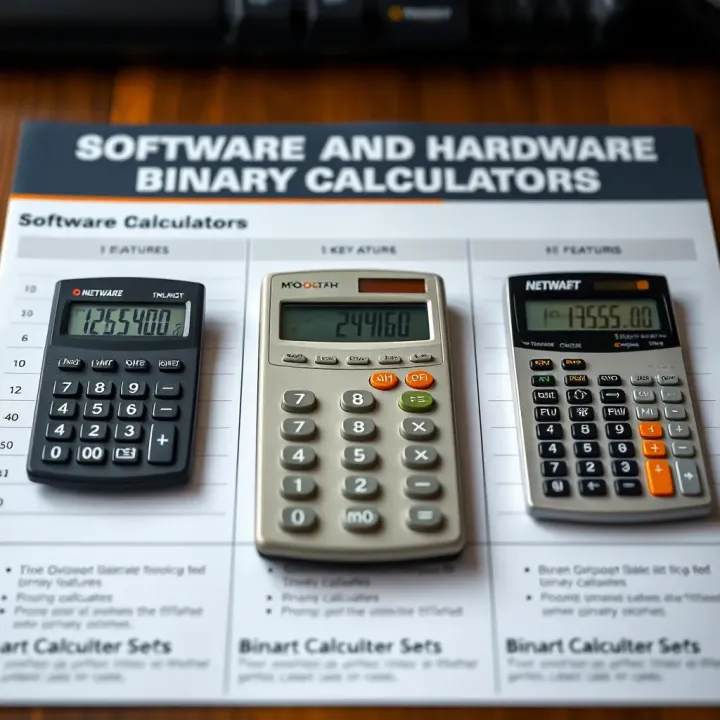
Understanding the different types of binary calculators is essential for choosing the right tool for your needs. Binary calculators come in various forms, each with its own advantages depending on the user's requirements, whether it's simple learning, professional coding, or hardware design troubleshooting. Let’s explore the two main categories: software and hardware binary calculators.
Online tools are widely accessible and perfect for quick calculations without installing anything. These tools often run directly in your web browser, making them handy for students or professionals on the go. For example, websites like RapidTables and CalculatorSoup offer binary calculator features that handle addition, subtraction, multiplication, and logical operations like AND and XOR instantly. Their interface tends to be simple, focusing on ease-of-use, so you can input binary numbers easily and see results immediately.
Online calculators are great for experimentation or quick checks during coding or debugging but sometimes depend on internet access and may lack advanced features found in dedicated applications.
Standalone applications provide a more robust experience for users needing frequent or advanced calculations. These apps, like Windows Calculator (in Programmer mode) or freeware like SpeedCrunch, support multiple number systems and complex operations offline. They’re beneficial for software developers or engineers who require a reliable tool embedded within their work environment without relying on a web connection.
Such applications often offer features like binary to hexadecimal conversion, bitwise manipulation, or saving previous calculations. They tend to have more customizable interfaces suited for power users.
Physical devices refer to actual calculators designed specifically for binary operations. Though rarer today, these handheld devices were once common in electronics labs and classrooms. Devices like the HP 35S scientific calculator (with binary conversion and logical functions) provide tactile feedback with buttons and a small screen. Their reliability and no-dependency on software make them valuable in environments where computers or smartphones aren’t practical.
Having a dedicated physical binary calculator can speed up work when fast binary operations are frequently required, especially in fieldwork or workshops where portability matters.
Embedded calculators in electronics are built into digital devices like microcontroller programmers, FPGA development kits, or even some advanced multimeters. These embedded calculators support on-the-spot binary calculations to aid engineers in circuit design or debugging hardware problems.
For example, when programming a PIC microcontroller, the built-in calculator can instantly convert between binary, decimal, and hex numbers, helping to set registers or memory addresses correctly. This integration saves time and minimizes errors by eliminating the need to switch between separate devices or software.
Choosing the right type of binary calculator depends heavily on your context: whether you prioritize portability, feature set, or offline access. Each type has its own unique strengths fitting different user profiles.
In summary, software and hardware binary calculators both play important roles today. Online tools offer convenience, standalone apps provide functionality, physical devices promise portability and reliability, and embedded calculators deliver seamless integration for electronics work.
Binary calculators find a solid place beyond just crunching numbers; they serve as powerful tools in education, engineering, and troubleshooting digital systems. Their ability to handle calculations in base-2 makes them indispensable, especially in fields where binary forms the foundation. Whether you're a student grasping the basics or an engineer designing circuits, these calculators simplify complex operations and speed up tasks.
Using binary calculators in classrooms helps demystify the seemingly tricky binary number system. Instead of trudging through manual conversions—which can be tedious and error-prone—learners get immediate results, which reinforces their understanding. For example, a teacher explaining how bits represent data can use a binary calculator to show conversions in real time, making the abstract concrete.
Binary calculators also come handy for programmers, especially when coding close to hardware or working with binary data formats. They help quickly verify bitwise operations and logic gate functions like AND, OR, and XOR. When debugging, a developer can input suspicious values into the calculator to validate expected outcomes, cutting down debugging time by spotting errors early.
When engineers design digital circuits, the calculations often involve binary logic and arithmetic. Binary calculators accelerate these tasks by handling large bit patterns without manual conversion. For instance, designing a combinational logic circuit for an alarm system requires checking truth tables; binary calculators can rapidly perform those logical combinations versus painstaking manual effort.
In practical fieldwork, engineers face broken or malfunctioning digital devices. Binary calculators help diagnose issues by allowing quick simulations of inputs and outputs in binary form. Suppose a digital clock is not counting correctly; by inputting the problematic signals into the calculator, an engineer can identify whether the problem lies in the logic gates' operation or elsewhere.
Binary calculators are not just computational tools but bridges between theory and practical applications, speeding learning and innovation in tech fields.
In summary, these calculators bring solid benefits by making binary computations accessible and efficient across education and technical environments. Whether easing students into binary or speeding up circuit testing, their role is well proved and continues to grow alongside technology.
Picking the right binary calculator is more than just finding a tool that can crunch numbers. It’s about matching the calculator to your specific needs, be it for learning, coding, or troubleshooting. Since binary math often underpins key tasks like debugging code or designing circuits, using an unsuitable calculator can slow you down or lead to mistakes. Consider it like choosing the right pair of shoes—you want something that fits the activity, feels comfortable, and gets the job done without hassle.
When selecting a software binary calculator, look for features that save you time and reduce errors. A good tool will support all the basic operations like addition, subtraction, multiplication, and division in binary, but ideally, it will also offer logical operations such as AND, OR, and XOR. Some apps, like the Windows Calculator or online tools such as RapidTables, even provide step-by-step conversion between binary and decimal, which is handy for beginners.
Additionally, consider if the calculator can handle signed binary numbers or different bit lengths—features important for those working with computer architecture or embedded systems. Others might prefer calculators that integrate with IDEs or coding environments, so you don’t have to switch apps every few minutes.
Software calculators come in all shapes and sizes. The best ones strike a balance between power and simplicity. A cluttered interface with too many options might confuse a newcomer, while a too-basic app could frustrate experienced users. Look for intuitive input methods—like clickable binary digits or direct text input—and clear output displays that show both binary results and their decimal equivalents.
For instance, calculators like "Binary Calculator Plus" on Android combine a clean design with helpful tutorials. Before committing, trying a few free versions can give you a sense of what feels right. Remember, a complex tool that you avoid using isn’t serving you at all.
Hardware binary calculators shine when quick, offline calculations are necessary—say, during fieldwork or when teaching in a classroom without reliable internet. Physical calculators, like the classic Hewlett-Packard HP-35 or dedicated digital logic trainers, provide tactile feedback that some learners find invaluable for grasping binary operations. They also come handy in situations where software isn’t permitted or practical, such as secure environments where internet access is banned.
Moreover, certain engineering labs require hardware calculators to experiment with digital circuits in real-time, making it easier to visualize how binary operations affect outputs without toggling between screens.
Physical devices often edge out software when it comes to reliability. They don’t crash, their batteries last long, and there’s no risk of lag. For example, pocket-sized calculators that perform binary math can slip into a coat pocket, making them perfect companions for on-the-go traders or students attending classes away from their desks.
Portability is key here, but also consider the durability. A sturdy calculator that can survive being dropped or jostled around in a bag offers peace of mind, especially in rugged environments. Some hardware models even include solar cells to extend battery life, which means less fumbling with replacements.
Picking the right binary calculator comes down to understanding your specific needs and workflow. Whether it's the comprehensive features of a software tool or the hands-on, reliable feel of a hardware device, the best choice is the one that helps you work faster, smarter, and with fewer errors.
Practical tips for using binary calculators are the glue that holds everything together once you understand the theory and tools. Whether you're a seasoned trader or a student grappling with digital circuits, learning how to avoid pitfalls and make binary calculations part of your daily workflow can save a lot of time and headaches. These tips can improve accuracy, speed, and confidence in handling binary data, which is especially useful when precision matters, such as in coding error-checking or algorithm testing.
Input mistakes are among the most frequent issues when working with binary calculators. Unlike decimal systems, where a slip might be caught by intuition, binary input demands strict attention since each digit bears equal weight. A single wrong bit can distort outcomes dramatically. For instance, entering 10010 instead of 10100 could change a value from 18 to 20, causing confusing errors down the line. To reduce mistakes:
Double-check inputs before hitting 'calculate.'
Use built-in validation features if your calculator supports them.
If working manually, count bits twice or read aloud each number to catch slip-ups.
Avoiding input errors not only prevents extra work but also builds trust in your calculations, critical when debugging code or validating data.
Interpreting the output correctly is just as vital as inputting the data right. Sometimes, binary calculators display results in formats unfamiliar to casual users—such as two’s complement for negatives or hexadecimal equivalents. Misreading these outputs can lead to wrong assumptions. For example, mistaking a signed binary number for unsigned will flip the result's meaning completely.
To handle outputs accurately:
Familiarize yourself with how the calculator displays negative numbers or fractional binary values.
When unsure, convert the binary output back to decimal to confirm correctness.
Consult the calculator’s documentation to understand its display conventions.
If you approach the output carefully, you’ll avoid misinterpretations that could derail projects or analysis.
Making binary calculations part of your routine—whether updating data sheets, analyzing code, or designing circuits—can boost productivity. A few efficiency hacks help:
Use shortcuts or saved entries for frequently used binary values.
Break complex calculations into smaller chunks to reduce errors.
Practice standard procedures for common operations like bit-shifting or masking.
Implementing these habits means less time grappling with mundane binary math and more time focusing on the bigger picture.
Incorporating binary calculators with other tools can smooth workflows. For example, developers might embed binary calculator functions into IDEs like Visual Studio Code using extensions, while engineers might link calculators to simulation software like Multisim for instant verification.
Some suggestions:
Explore calculators that allow exporting or importing data easily.
Look for APIs or plug-ins that connect calculators with spreadsheets or code editors.
Utilize cloud-based tools for accessing calculations anywhere without setup hassle.
Tool integration lets you handle binary data seamlessly alongside your usual work, reducing interruption and errors.
Mastering practical tips for binary calculators turns theoretical knowledge into everyday skill — a must for anyone working with digital information regularly.
Keeping an eye on the future landscape of binary calculators helps users and tech enthusiasts anticipate useful features and improvements. This isn’t just about shiny new toys; it’s about tools that make daily work easier and more accurate, especially for traders, developers, and engineers who rely heavily on binary calculations. As computing and digital tech evolve, binary calculators are expected to keep pace — becoming smarter, more intuitive, and integrative with the tech ecosystem.
Automation features are rapidly transforming how binary calculators handle repetitive and complex tasks. Rather than manually entering every number or different operation, modern software tools can now automate sequences of calculations, apply predefined rules, and even detect errors in input automatically. For example, imagine coding a batch job that auto-converts large sets of decimal data to binary and runs logical AND/OR operations without your intervention. This automation trims down human error and frees up time, a definite plus for analysts and programmers dealing with large datasets.
Another software leap is user interface improvements. Older binary calculators often looked cluttered or were unintuitive, which slowed down workflow and added frustration. Now, user interfaces focus on clarity: simple input fields, real-time error checking, and even graphical representations of binary operations. Some apps offer dark modes or customizable layouts to suit long hours of use, crucial for traders working late or students studying. These improvements enhance productivity by reducing cognitive load, making it easier to focus on results instead of wrestling with the tool.
Miniaturization of hardware binary calculators means these devices are becoming smaller and more portable without sacrificing power. Think pocket-sized gadgets or wearable devices that can perform complex binary operations on the fly. This is critical for field engineers or technicians who don’t want to rely solely on smartphones or bulky equipment. Smaller devices with long battery life and rugged designs withstand diverse work environments, from on-site digital circuit testing to classroom demonstrations.
Integration with newer technologies is shaping how binary calculators fit into broader tech ecosystems. Hardware calculators are increasingly embedding connectivity features like Bluetooth or Wi-Fi, enabling seamless syncing with computers, cloud services, or even smartphones. This means you can perform quick calculations and automatically upload results to project files or share them with your team instantly. Additionally, some advanced devices incorporate AI-powered assistance to suggest shortcuts or flag calculation inconsistencies, hinting at a future where binary calculators aren’t just tools but smart collaborators.
Staying updated on these trends ensures you pick tools that not only meet today’s needs but also adapt to tomorrow’s tech environment, boosting efficiency whether you’re crunching numbers in a trading algorithm or debugging digital hardware.
In summary, the future trends in binary calculation tools focus on making software smarter and interfaces friendlier, while hardware becomes more compact and connected. These changes reflect a clear goal: help users handle binary data faster and more reliably across varying environments and applications.
🔢 Explore how online binary calculators work and their practical uses in computer science and digital electronics. Learn to choose the right tool for your needs!

👨🏫 Learn how to use a binary calculator step-by-step, with clear examples and online tools to simplify binary arithmetic for your daily needs. 👍

Learn how a binary addition calculator works and why it’s handy 🔢. Master binary numbers, addition steps, challenges, and real uses in tech fields.

🔢 Master binary division basics and use a binary division calculator to speed up calculations. Learn steps, tips, and practical uses for accuracy and ease.
Based on 10 reviews