
Binary Search Explained with C++ Examples
🔍 Learn how binary search works in C++ with clear examples, tips, and common mistakes to avoid. Master this key algorithm for faster programming!
Edited By
Oliver Mason
At its core, binary is the language computers use to process and store information. Every letter, number, and symbol you see on a screen is represented by combinations of just two digits: 0 and 1. This system might seem simple, but converting text into binary involves precise encoding standards that ensure accurate communication.
Computers work using electronic switches that are either off or on. These states correspond to 0s and 1s in binary code. When you type a character—say, the letter ‘A’—the computer doesn't store the letter itself but a binary sequence representing that character.
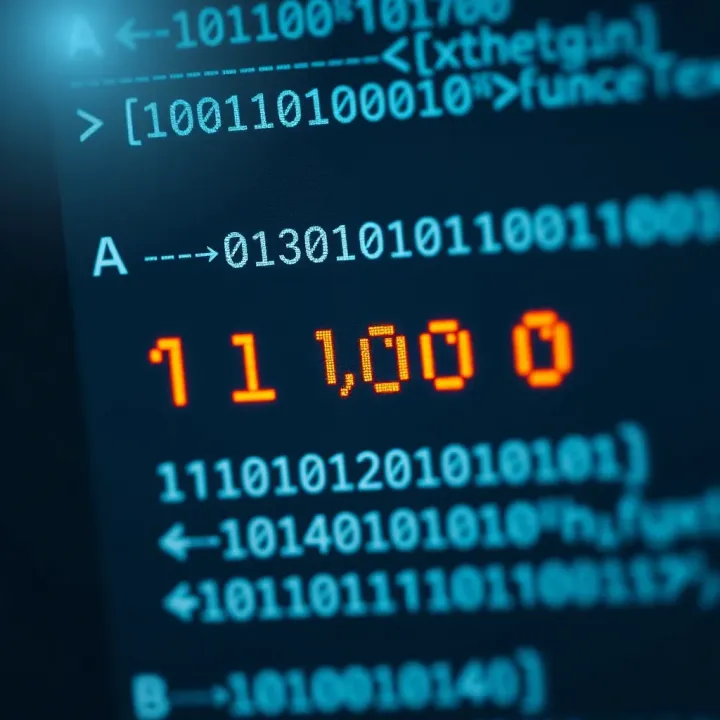
There are several encoding standards designed to map characters to binary. The most common is ASCII (American Standard Code for Information Interchange), which uses seven bits to represent English letters, digits, and some control characters. For example, uppercase ‘A’ in ASCII is 65 in decimal, which translates to the binary sequence 01000001.
More comprehensive character sets like Unicode handle global languages, including Urdu, Punjabi, and Pashto, by using multiple bytes to cover thousands of characters beyond ASCII’s scope. This is essential for software and devices that operate in Pakistan, where many scripts coexist.
Here’s a quick look at how encoding works in practice:
Each character has a unique code number assigned by the encoding scheme.
That code number is converted into binary digits.
The computer stores or transmits these binary sequences as digital signals.
Understanding binary representation helps traders and analysts appreciate how digital data, such as stock prices or financial reports, travels securely over networks.
For practical purposes, programmers often use binary converters or programming functions to switch text strings into binary, especially when building applications that communicate at a low hardware level or handle encrypted data.
In summary, converting text to binary bridges human language and machine logic. It’s a foundational step that makes sure the information you input on WhatsApp, emails, or market data terminals is correctly processed and displayed.
plaintext Example: Converting 'B' to Binary
'B' in ASCII = 66 (decimal)
66 in binary = 01000010
Stored/transferred as this binary sequence
This process underlies much of our digital world, quietly enabling the everyday apps and platforms millions use across Pakistan and beyond.

## Basics of Binary Representation

Binary representation forms the foundation of how computers understand and process data. It uses only two symbols — 0 and 1 — to encode information, which simplifies electronic circuit design and improves reliability. Grasping this concept is essential for understanding how text converts into binary code, a core theme in computing and digital communication.

### What is Binary?

The binary number system is a base-2 numerical system consisting of just two digits: 0 and 1. Each digit is called a bit, short for binary digit. This contrasts with the decimal system that we use daily, which is base-10 and employs ten digits from 0 to 9. In practical terms, binary can represent any number or data type through combinations of bits.

For example, the decimal number 5 is expressed in binary as 101. This means 1×2² + 0×2¹ + 1×2⁰, or 4 + 0 + 1. Understanding this conversion between decimal and binary is the first step to grasping how text characters map to binary sequences in computers.

The decimal system fits human daily use because we have ten fingers, but machines rely on [binary](/articles/binary-search-in-cpp/) since it aligns perfectly with their electronic switching systems acting as ON and OFF states.

#### Difference between Binary and Decimal Systems

The key difference lies in their base values and digit sets. Decimal (base-10) has ten digits (0–9), and each place value represents powers of 10. Binary (base-2) uses only two digits (0 and 1), with each place representing powers of 2. This difference changes how [numbers](/articles/how-to-multiply-binary-numbers/) are written and understood.

Practically, binary numbers tend to be longer for the same value compared to decimal. For instance, the decimal number 10 is '1010' in binary, four bits instead of two digits in decimal. However, computers find binary more natural because their circuits easily distinguish two voltage levels—making processing more efficient and less error-prone.

### Importance of [Binary in](/articles/meaning-of-binary-in-urdu/) Computing

Computers use binary because their hardware components—transistors and logic gates—operate reliably with two states: ON and OFF. Mapping these onto binary 1 and 0 simplifies both design and error management. This makes binary the common language for everything inside digital devices.

Because binary directly corresponds to physical states, it reduces complexity in manufacturing chips and improves speed. For example, a transistor either passing current (1) or blocking it (0) matches the binary world without ambiguity.

#### Role of Binary in Data Storage and Processing

Binary encoding underpins how data is stored in memory and processed by the central processing unit (CPU). Every instruction, number, letter, or symbol is saved as a pattern of bits. For instance, the letter ‘A’ in ASCII has the decimal code 65, which is 01000001 in binary.

When reading or writing data, the CPU processes these binary sequences through logic circuits to perform calculations or transfer information. This binary operation also extends to network communications and file storage—ensuring consistency and compatibility across devices.

> [Understanding binary](/articles/understanding-binary-quotes/) representation is the key to decoding how computers transform every piece of text into a machine-readable string of zeros and ones, enabling all digital technology to function smoothly.

This section lays the groundwork necessary to explore character encoding and practical methods used to [convert](/articles/how-to-convert-binary-to-hexadecimal/) text into binary formats.

## Character Encoding and Text Representation

Character encoding plays a key role in converting text to binary by establishing a system that maps readable characters to specific binary codes. Without a standard encoding method, computers would struggle to interpret text consistently, leading to errors during data processing and communication. Character encoding ensures your letters, digits, and symbols are translated into a language the computer understands and can process.

### Understanding Character Encoding Systems

#### ASCII: American Standard Code for Information Interchange

ASCII is one of the earliest encoding standards developed in the 1960s. It assigns a unique 7-bit binary number to 128 characters, including English alphabets (both uppercase and lowercase), digits from 0 to 9, punctuation marks, and control characters like newline. For instance, the letter 'A' corresponds to the decimal 65, which in binary is 01000001. ASCII works well with basic English text but falls short when dealing with extended character sets needed for other languages.

This limitation means ASCII is often insufficient for today’s global applications. However, understanding ASCII is vital in grasping how character-to-binary conversion began and why more comprehensive encoding systems were necessary as computing evolved.

#### Unicode and its significance

Unicode emerged to widen the horizon beyond ASCII’s constraints. It supports over 143,000 characters covering almost all written languages worldwide, along with symbols and emojis. Unicode assigns each character a unique code point, like U+0627 for the Arabic letter 'Alif'. These code points are then encoded in binary using encoding forms like UTF-8 or UTF-16, which can use one to four bytes per character.

For example, in Pakistan, Urdu and Sindhi characters require Unicode because these alphabets aren't supported by ASCII. Without Unicode, text in non-Latin scripts would not display correctly on digital devices. This universal system allows software and websites to handle multilingual content seamlessly, ensuring your text remains intact whether it’s English, Urdu, or any other language.

### How Characters Map to Binary Codes

#### Binary values assigned to letters, numbers and symbols

Every character, whether a letter, number, or symbol, has a defined binary code. These binary patterns allow computers to process and store text as sequences of zeros and ones. For example, the number '5' in ASCII is represented by decimal 53, which converts to binary as 00110101. Symbols like '@' have their binary equivalents too; '@' in ASCII corresponds to decimal 64 or binary 01000000.

This fixed mapping makes it predictable and efficient for devices to understand text data. Once a character is encoded in binary, it can be passed through memory, stored in files, or transmitted over networks without ambiguity.

#### Handling of case sensitivity and special characters

Encoding differentiates between uppercase and lowercase letters by assigning separate codes. Take 'a' and 'A'; 'a' maps to decimal 97 (binary 01100001), while 'A' maps to decimal 65 (binary 01000001). This distinction is crucial in programming, where case often changes meaning.

Special characters like newline (line break) or tab also have specific codes, allowing formatted text representation. The code for newline (LF) in ASCII is decimal 10, or binary 00001010. Without proper encoding of such characters, text formatting would be lost, making documents or code files unreadable.

> Clear and consistent character encoding ensures text is accurately converted to binary, preserving meaning and readability across digital platforms.

By understanding these encoding systems and how characters map to binary codes, you are better equipped to appreciate how computers interpret text and why encoding matters in everyday technology use.

## Converting Text to Binary Step by Step

Converting text to binary is the backbone of how computers understand and process information. Breaking down this conversion carefully helps you grasp how every letter, number, or symbol turns into a sequence of zeros and ones. This is not just a technical curiosity; knowing this pathway clarifies digital communication and programming fundamentals.

### Manual Conversion Method

#### Finding decimal ASCII codes for characters
To convert text manually, you first need to find the decimal ASCII codes corresponding to each character. ASCII stands for American Standard Code for Information Interchange, and it assigns a unique number to every character—the letter "A" corresponds to 65, while a space is 32, for example. This step is crucial because computers work with numbers, not characters, so translating letters into decimals is the first practical leap.

For instance, the word "data" breaks down into ASCII decimals 100 (d), 97 (a), 116 (t), and 97 (a). These numbers are standardized and universal, so once you know the ASCII decimal number, you have a common ground for conversion. This method is particularly useful when understanding low-level computing, programming, or troubleshooting data representation issues.

#### Converting decimal to binary digits
The second step is turning those decimal ASCII codes into binary digits. This means representing the decimal number using base-2, where each digit is either 0 or 1. For example, the decimal 100 (representing "d") is 01100100 in binary. This eight-bit (one byte) representation is standard in computing.

Manual conversion requires dividing the decimal number by 2, noting remainders, and writing the binary digits in reverse order. This process might seem tedious but helps learners understand how digital systems store and manipulate data. In practice, this step is essential when programming at the machine level or studying data encoding.

### Using Online Tools and Software

#### Popular websites for text to binary conversion
Several online tools simplify text-to-binary conversion. Websites like RapidTables, BinaryTranslator, and Browserling allow users to enter text and instantly see the binary equivalent. These platforms support not just ASCII but also Unicode, handling diverse languages and special characters effortlessly.

For traders, students, or brokers dealing with data encoding, these tools provide quick verification without deep technical knowhow. This advantage lets users focus on the application rather than the conversion mechanics.

#### Advantages of automated conversion
Automated conversion tools save time and reduce human error, especially when dealing with long texts or complex character sets. They handle padding, bit length, and case sensitivity correctly, which can be challenging manually.

Plus, many tools offer batch processing or integration with software development environments, streamlining workflows for programmers and analysts alike. A trader, for instance, needing to secure communication through encryption can quickly convert messages for digital processing. Automated tools also provide educational value by showing conversions step by step, bridging theory and practical use.

> Understanding both manual and automated methods enriches your grasp of how text transforms into digital signals. This knowledge works well for technical tasks, learning, and troubleshooting alike.

## Applications and Importance of Text to Binary Conversion

Text to binary conversion plays a crucial role not just in abstract computing theory but in practical, everyday technology use. Converting characters into binary form allows computers, which operate on electric signals representing 0s and 1s, to understand and manipulate textual data. This section explores how such conversion impacts computer communication, storage, programming, and security.

### Role in Computer Communication

Data transmission protocols rely heavily on binary text representation. When you send a message via WhatsApp or an email, the text is first converted into a binary format. Protocols like TCP/IP ensure that these binary strings travel through networks properly, maintaining integrity and order. This process guarantees that the receiver’s computer accurately reconstructs the original message, no matter how complex.

Moreover, the use of binary in communication protocols allows efficient error detection and correction. For example, parity bits or checksums added to data packets help identify data corruption during transmission. This method is widely used in data communication across Pakistan’s internet service providers to counter occasional packet loss or interference.

Digital storage methods also hinge on binary encoding. Files saved on hard disks, solid-state drives, or memory cards store characters as binary code. Each letter, number, or symbol is stored in sequences of 8-bit bytes or more, depending on encoding standards like UTF-8 or UTF-16. This standardisation ensures compatibility across devices—from smartphones like Jazz and Zong mobiles to computers running on Windows or Linux.

Storage important for industries such as banking or stock trading uses vast databases where textual information is accessed and updated rapidly. Binary encoding helps organise and retrieve this data efficiently, making daily financial transactions or stock market analysis possible without delay.

### Use in Programming and Encryption

In software development, binary isn't just an underlying concept—it’s the foundation for all coding. Programming languages like C, Python, or Java ultimately compile or interpret source code into machine-level binary instructions that a processor can execute. Understanding text conversion to binary can help programmers debug or optimise code better, particularly while working with low-level data manipulation or developing device drivers.

Encryption systems also depend on the binary form of text for securing data. Basic encryption methods often apply logical operations on binary bits to scramble readable information into an unreadable format. For instance, symmetric key algorithms flip or shift bits in binary sequences based on a unique key. This ensures that sensitive information, like passwords or bank details, stays protected, particularly in online banking apps and payment platforms like Easypaisa or JazzCash.

> Binary conversion is the hidden language allowing computers to communicate, store, develop, and protect information efficiently. Its applications span from daily mobile use to securing high-value transactions.

In summary, text to binary conversion is fundamental to almost every aspect of digital life. Whether transmitting texts over the internet, storing files on digital drives, writing software, or encrypting data, the binary format acts as the central medium bridging human language with machine processing.

## Common Challenges and Mistakes in Text to Binary Conversion

Converting text to binary isn't always straightforward, especially when dealing with different encoding systems and manual calculations. For traders, analysts, or students dealing with data, these challenges can cause errors that ripple through communication and processing. Understanding common mistakes helps avoid misinterpretations and unreliable data outcomes.

### Misinterpretation of Encoding Standards

One frequent issue is confusing ASCII with Unicode. ASCII relies on 7 or 8-bit codes for basic English characters, symbols, and digits, making it limited mostly to standard English alphabets and some control characters. On the other hand, Unicode supports a vast range of characters from multiple languages, including Urdu, Punjabi, and Pashto scripts, plus emojis and special symbols. For example, a simple Urdu letter will have no valid ASCII binary equivalent. Using ASCII for text containing such characters leads to incorrect or missing conversions.

This confusion often happens when the text includes characters outside the ASCII range but the conversion tool or manual method assumes ASCII encoding by default. To handle this properly, one must verify the encoding system being used before conversion, especially with diverse language content common in Pakistan.

Handling unsupported characters poses another challenge. When a character isn’t available in the chosen encoding, the conversion either replaces it with a placeholder or fails silently. For instance, if a software uses ASCII encoding and the text contains the Urdu character 'خ', the output might show a question mark or an incorrect binary code. This disrupts data integrity, especially in communications or data storage where accuracy is essential.

To avoid this, always ensure that the encoding scheme supports all intended characters. Unicode UTF-8 is a common choice that covers most scripts and symbols used today. Most modern programming environments and online tools support Unicode, but during manual conversions, one must manually check each character's binary mapping.

### Errors in Manual Conversion

Manual conversion from decimal to binary often leads to mistakes like incorrect calculations or omissions. For example, converting the decimal ASCII code 65 (for 'A') to binary should yield 01000001, but miscalculations can produce 1000001 or other variations. Such errors may go unnoticed but can cause problems in programming or data transmission.

Additionally, **bit length and padding issues** often cause trouble. Standard encoding like ASCII uses 8-bit binary codes per character; failing to pad with leading zeros results in shorter binary strings. For instance, binary 1000001 (7 bits) should be 01000001 (8 bits) to represent 'A' correctly. Many beginners skip padding, leading to misaligned data streams and faulty interpretations.

Proper bit length ensures uniformity and accuracy when translating text to binary sequences, particularly crucial in network protocols and file storage where binary streams need precise structure. To tackle this, use fixed-length binary codes and pad shorter codes with zeros on the left.

> Mistakes in text-to-binary conversion often stem from overlooking encoding standards and manual calculation details. Accuracy demands recognising the system in use and meticulous binary formatting.

In summary, careful attention to encoding choice, awareness of unsupported characters, and precision in manual decimal-to-binary conversion are essential. These steps help maintain data integrity, enabling reliable communication and analysis related to text and binary processing.🔍 Learn how binary search works in C++ with clear examples, tips, and common mistakes to avoid. Master this key algorithm for faster programming!

🔍 Discover when binary search fails: unsorted data, specific structures, and limits. Learn better search methods for tricky cases in programming.

📈 Learn how binary quotes work in trading, how to read them clearly, manage risks smartly, and make confident steps in binary options trading.
Explore binary multiplication 💻 from basics to circuits! Learn techniques, tackles overflow, and see real examples in computing systems. Perfect for enthusiasts!
Based on 10 reviews